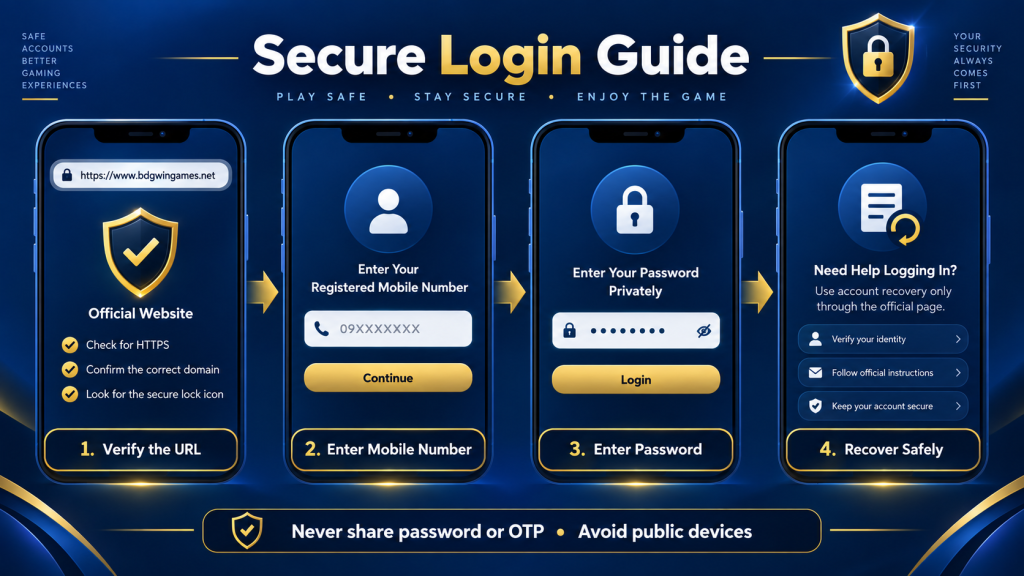
BDG Win Login Guide
This guide helps existing users reach the login screen, protect credentials and diagnose common access problems without sharing sensitive information.
How to log in
- Open the external access page from a trusted bookmark.
- Select Log In if the registration screen appears first.
- Enter the phone number linked to your account.
- Enter your password privately and complete only the verification shown by the operator.
- Confirm the account area displays your expected profile before making a transaction.
Forgotten password
Use the visible “Forgot password” or recovery option. Confirm the phone number and set a new unique password. Customer-support agents should never ask for your full password, OTP, UPI PIN or screen-sharing access.
Why login may fail
- Incorrect phone-number format or password.
- An outdated app or cached browser page.
- Temporary maintenance or network problems.
- A changed external domain.
- Account restriction requiring operator support.
Try one careful password reset instead of repeated guesses. If the operator restricts the account, use only its in-account or verified support channel.
Security checklist
Use a password that is not used for email or banking, enable device lock, avoid public Wi-Fi for payments, and sign out on shared devices. Read the app safety checklist and registration guide.
This independent site cannot access or recover player accounts. Do not send credentials through our Contact page.